Best Trackball Mouse in 2026
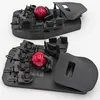
Best Premium Trackball Mouse: Svalboard
Keyboard with integrated trackball. Most ergonomic mouse AND keyboard possible. Medical-grade RSI solution with significant learning curve.$925 on Svalboard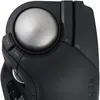
Best Value Trackball Mouse: Elecom Huge Plus
Major refresh of the iconic Huge. Swappable MinebeaMitsumi steel bearings (upgradeable to ruby), 1000Hz polling, tri-mode connectivity (BT 5.3 + 2.4GHz + USB-C), 10 programmable buttons, 52mm ball, rechargeable battery.$130 on Amazon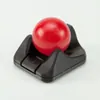
Best Budget Trackball Mouse: Ploopy Nano
Compact, budget-friendly trackball with dynamic bearings. Smaller ball but maintains Ploopy's quality standards with programmable firmware.$43 on PloopyBest Ergonomic Keyboards in 2026
Best Premium Split Keyboard: Svalboard
Keyboard with integrated trackball ($1k). Most ergonomic keyboard+mouse combination possible. Key motions minimized vs traditional boards. For medical-grade RSI or ultimate ergonomics.$1,050 on Svalboard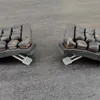
Best Value Split Keyboard: Totem
38 keys, contest winner with exceptional build quality. Splayed columns, 3-key wide thumb cluster, ZMK wireless. Premium aluminum option available. $150.$150 on AliExpress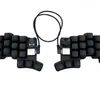
Best Budget Split Keyboard: Cheapino v2
36 keys with excellent wide thumb cluster. Vial pre-configured, hotswap, single MCU design. Community: 'moved from Corne, thumb cluster so much more comfortable'. $70.$70 on AliExpressScore | Brand | Model | Price | Bearings | Form Factor | Ball (mm) | Scroll | Polling (Hz) | DPI | Connection | Buttons | Software All | Sensor |
|---|---|---|---|---|---|---|---|---|---|---|---|---|---|
81.7 | $130 5 | Dynamic 10 | MSTE-style (right-handed) 9 | 52mm 9 | Wheel with tilt 8 | 1000 Hz 10 | 1500 (adj) 7 | Tri-mode: Bluetooth 5.3, 2.4GHz wireless, Wired USB-C 10 | 10 10 | Yes 8 | IR LED optical (optical) 7 | ||
79.2 | $75 7 | Dynamic 10 | Ambidextrous 10 | 45mm 7 | Finger drag (configurable) 9 | 1000 Hz 10 | 12000 (adj) 9 | Wired USB 6 | 6 10 | Yes 8 | PixArt PMW3360 (optical) 7 | ||
77.2 | $147 5 | Dynamic 10 | MSTE-style (right-handed) 9 | 45mm 7 | Finger + scroll wheel 9 | 1000 Hz 10 | 12000 (adj) 9 | Wired USB 6 | 5 9 | Yes 8 | PixArt PMW3360 (optical) 7 | ||
74.4 | $43 10 | Dynamic 10 | Ambidextrous mini 10 | 38mm 5 | Button-based / firmware scroll 9 | 1000 Hz 10 | 4000 (adj) 9 | Wired USB-C 6 | 1 3 | Yes 8 | PixArt PAW-3222 (optical) 7 | ||
70.2 | $100 7 | Static 4 | Ambidextrous 10 | 55mm 10 | Virtual (twist the ball) 10 | 125 Hz 3 | 1600 7 | Wired USB-C, BT, 2.4 GHz dongle 10 | 4 9 | Yes 8 | Optical (trackball) (optical) 7 | ||
70.1 | $120 5 | Static 4 | Ambidextrous fingertip 10 | 48mm 7 | Capacitive touch pad 10 | 1000 Hz 10 | 3200 (adj) 9 | Wired USB-C 6 | 5 9 | Yes 8 | PixArt PMW3360 (optical) 7 | ||
68.4 | $60 7 | Static 4 | Ambidextrous 10 | 55mm 10 | Scroll ring + wheel 9 | 125 Hz 3 | 1600 (adj) 7 | Wireless (BT & 2.4 GHz dongle) 7 | 7 10 | Yes 8 | Optical (optical) 7 | ||
66.3 | $170 3 | Dynamic 10 | Thumb (right-handed) 4 | 38mm 5 | Scroll wheel (index finger) 8 | 1000 Hz 10 | 12000 (adj) 9 | Wired USB 6 | 5 9 | Yes 8 | PixArt PMW3360 (optical) 7 | ||
64.5 | $80 7 | Static 4 | Ambidextrous 10 | 55mm 10 | Virtual (twist the ball) 10 | 125 Hz 3 | 1600 7 | Wired USB 6 | 4 9 | No 5 | Optical (trackball) (optical) 7 | ||
64.1 | $42 10 | Static 4 | MSTE-style (right-handed) 9 | 44mm 7 | Wheel (with tilt) 9 | 125 Hz 3 | 1200 (adj) 7 | Wireless (BT & 2.4 GHz dongle) 7 | 5 9 | Yes 8 | Optical (optical) 7 | ||
63.2 | $90 7 | Static 4 | Ambidextrous 10 | 55mm 10 | Finger scroll ring 9 | 125 Hz 3 | 600 5 | Wired USB 6 | 4 9 | No 5 | Optical (trackball) (optical) 7 | ||
63.0 | $90 7 | Static 4 | MSTE-style (right-handed) 9 | 52mm 9 | Wheel (with tilt) 8 | 125 Hz 3 | 1000 (adj) 7 | Wireless (2.4 GHz dongle) 7 | 8 10 | Yes 8 | Optical (optical) 7 | ||
62.7 | $70 7 | Static 4 | MSTE-style (right-handed) 9 | 44mm 7 | Wheel (with tilt) 8 | 125 Hz 3 | 1500 (adj) 7 | Wired USB, BT, 2.4 GHz dongle 10 | 8 10 | Yes 8 | Optical (optical) 7 | ||
60.2 | $110 5 | Static 4 | Thumb (right-handed) 4 | 38mm 5 | Scroll wheel (index finger) 8 | 1000 Hz 10 | 2400 (adj) 9 | Wired USB-C 6 | 5 9 | Yes 8 | PixArt PMW3360 (optical) 7 | ||
59.4 | $70 7 | Static 4 | Ambidextrous 10 | 40mm 7 | Thumb scroll wheel 3 | 125 Hz 3 | 1500 (adj) 7 | Wireless (2.4 GHz dongle) 7 | 5 9 | Yes 8 | Optical (optical) 7 | ||
56.9 | $160 3 | Static 4 | Ambidextrous 10 | 57mm 10 | Wheel 8 | 125 Hz 3 | 1600 (adj) 7 | Wired USB 6 | 3 3 | No 5 | Laser 7 | ||
55.8 | $35 10 | Static 4 | Ambidextrous mini 10 | 34mm 5 | Wheel 8 | 125 Hz 3 | 750 5 | Wireless (Bluetooth) 7 | 3 3 | No 5 | Optical (optical) 7 | ||
55.5 | $40 10 | Static 4 | Thumb (right-handed) 4 | 36mm 5 | Wheel 8 | 125 Hz 3 | 1600 (adj) 7 | Wireless (BT & 2.4 GHz dongle) 7 | 5 9 | Yes 8 | Optical (optical) 7 | ||
54.7 | $50 10 | Static 4 | Thumb (right-handed) 4 | 34mm 5 | Wheel 8 | 125 Hz 3 | 2000 (adj) 9 | Wireless (BT & USB dongle) 7 | 5 9 | Yes 8 | Optical (optical) 7 | ||
53.3 | $100 7 | Static 4 | Thumb (right-handed, tilting) 4 | 34mm 5 | Wheel 8 | 125 Hz 3 | 2048 (adj) 9 | Wireless (BT & USB dongle) 7 | 6 10 | Yes 8 | Optical (optical) 7 | ||
51.5 | $36 10 | Static 4 | Thumb (right-handed) 4 | 36mm 5 | Wheel 3 | 125 Hz 3 | 1200 (adj) 7 | Wireless (2.4 GHz dongle) 7 | 5 9 | Yes 8 | Optical (optical) 7 | ||
51.0 | $70 7 | 2 | Vertical mouse 3 | 5 | Wheel 8 | 125 Hz 3 | 4000 (adj) 9 | Wireless (BT & USB dongle) 7 | 6 10 | Yes 8 | “Advanced” optical (4000 DPI) (optical) 7 | ||
49.9 | $100 7 | 2 | Standard ergonomic mouse 2 | 5 | Wheel + thumb wheel 8 | 125 Hz 3 | 8000 (adj) 9 | Wireless (BT & USB dongle) 7 | 7 10 | Yes 8 | Darkfield optical (8000 DPI) (optical) 7 | ||
48.9 | $100 7 | 2 | Vertical mouse 3 | 5 | Wheel 8 | 125 Hz 3 | 4000 (adj) 9 | Wireless (BT & USB dongle) 7 | 4 9 | Yes 8 | High precision (optical) 7 | ||
10.0 | $925 3 | Static 4 | Ambidextrous (integrated keywell) 10 | 44mm 7 | Finger (firmware-mapped, no wheel) 9 | 1000 Hz 10 | 1600 (adj) 7 | Wired (via keyboard PCB) 6 | 0 3 | Yes 8 | PixArt PMW3360 (optical) 7 |
Trackball Cheat Sheet
Hands-on trackball mouse reviews ranked for ergonomic use, RSI recovery, and daily work. If you only read three things, read these:
- Bearing type: dynamic bearings stay smoother longer; static bearings are budget-friendly.
- Form factor: thumb-driven designs (Logitech Ergo) save desk space; ambidextrous options (Kensington Expert) excel for shared setups.
- Polling rate: 1000 Hz models feel snappier for CAD and gaming; 125 Hz is fine for general productivity.
Why a Trackball Mouse?
Standard mice force your wrist into pronation (palm down) and require constant back-and-forth movement that strains tendons. This repetitive motion causes Repetitive Stress Injury (RSI) and Carpal Tunnel Syndrome (CTS) in the wrist and forearm. The problem worsens at walking desks where the up-and-down motion adds vertical wrist movement to the horizontal.
Trackballs eliminate wrist movement entirely. Your hand stays stationary while your fingers move the ball. This removes the root cause of mouse-induced RSI - repetitive wrist motion.
Not the same as a RollerMouse. A roller bar mouse (often called a RollerMouse) is a separate category - a long roller bar sits centered in front of your keyboard, and you slide and roll it with either hand instead of reaching off to the side. It targets the same RSI by keeping the device on your centerline; trackballs target it by stopping wrist motion. We don't review roller bar mice, but Contour Design is the dominant brand if you want to explore them.
Why Not Vertical or Ergonomic Mice?
Standard Ergonomic Mice (Logitech MX Master, etc.)
These add ergonomic grips and thumb rests but still require wrist movement to move the mouse. You'll feel some improvement from better hand positioning, but the fundamental issue - moving your wrist repeatedly - remains. Many users report partial relief but not complete RSI resolution.
Vertical Mice (Logitech MX Vertical, Lift, etc.)
Vertical mice eliminate wrist pronation by positioning your hand in a "handshake" orientation. This is better than standard mice, but you're still moving your wrist to move the mouse.The motion is the problem, not just the angle.
Users with mild RSI often find vertical mice sufficient. Those with moderate to severe RSI need trackballs.
Thumb-Ball Mice (Logitech MX Ergo, M575, etc.)
These replace the sensor with a thumb-operated ball. The familiar form factor makes adaptation easier, but moving your thumb constantly is as bad for thumb joints as moving your wrist is for wrist joints.Prolonged thumb-ball use leads to thumb RSI (De Quervain's tenosynovitis), and thumbs are less precise than fingers.
Thumb-balls are a stepping stone, not the solution. If your RSI is significant, skip directly to finger-ball trackballs.
Trackball Form Factors
Finger-Ball Trackballs: The Real Solution
Finger-ball trackballs use your middle or index finger to move a large ball (typically 55mm). This distributes movement across stronger, more dexterous fingers instead of concentrating it in your thumb. The result: significantly less strain and better precision.
Ambidextrous "Wedge" Trackballs
Square or diamond-shaped with the ball in the center. Can be used with either hand by remapping buttons. Best for hover-hand use (hand floating above the trackball rather than resting on it).
Advantages:
- Switch hands: Use your non-dominant hand for work to let your dominant hand heal, then switch to dominant hand for gaming or precision tasks.
- Walking/standing desks: Hover-hand is more comfortable when your desk height changes.
- Symmetric button layout: All fingers get buttons, not just thumb.
Top picks: Ploopy Adept ($75, dynamic bearings, VIA remapping, best wired option), Kensington SlimBlade Pro ($100, tri-mode wireless).
MSTE-Style (Standard) Trackballs
Named after the Microsoft Trackball Explorer, these follow a traditional mouse-like shape designed for palm resting. Usually right-handed.
Top picks: Ploopy Classic 2 ($150, dynamic bearings), Nulea M505 ($42, budget option).
Core Features
1. Bearing Type (Most Important for Feel)
Dynamic (Steel Roller) Bearings:
- Best option. Small steel rollers that move with the ball, creating nearly zero friction.
- Smooth, consistent feel even after months of use
- Less prone to stiction (sticky spots) from dust/oil buildup
- Found on: Ploopy Adept, Ploopy Classic 2, X-Keys L-Trac
Static (Ceramic) Bearings:
- Fixed contact points that the ball slides across
- Smooth initially but develop stiction over time as dust/oil accumulates
- Require regular cleaning (weekly for heavy users)
- Found on: Kensington SlimBlade/Expert, Nulea mice, GameBall
2. Polling Rate
- 1000 Hz (high): Gaming-grade smoothness. Essential for CAD, design work, or gaming. Found on Ploopy mice, GameBall.
- 125 Hz (low): Acceptable for productivity work but feels choppy for precision tasks.
3. Scrolling Method
Scroll wheel (traditional): Familiar, precise scrolling. MSTE-style trackballs place it under the thumb.
Rotate-to-scroll (Kensington SlimBlade): Rotate the entire ball to scroll. Learning curve but becomes natural after a week.
Common Mistakes to Avoid
- Buying thumb-balls for RSI relief: You're trading wrist RSI for thumb RSI. Go directly to finger-balls if your condition is moderate or severe.
- Choosing Bluetooth for precision work: Latency and precision suffer. Use 2.4GHz wireless or wired for gaming, CAD, or design work.
- Ignoring bearing type: Static bearings need regular cleaning (weekly for heavy use). Budget for maintenance time or pay more for dynamic bearings.
- Giving up too quickly: Finger-ball trackballs have a 1-2 week learning curve. Your accuracy will tank initially. Push through - it's worth it.
Adaptation Tips
First week: Expect 40-60% accuracy compared to your standard mouse. Lower mouse sensitivity initially. Practice with low-stakes tasks (web browsing) before switching for work.
Second week: Accuracy improves dramatically - you'll hit ~80-90% of your normal precision.
After a month: Most users report equal or better precision than their previous mouse. Wrist pain reduction should be noticeable.
Trackball Mouse FAQ
What is the best trackball mouse?
For most people the Elecom Huge Plus is the best value: swappable steel bearings, 1000Hz polling, tri-mode connectivity, and 10 programmable buttons. If RSI is significant, a finger-ball trackball like the Ploopy Adept (dynamic bearings, ambidextrous) is the better long-term answer. The Svalboard is the most ergonomic option but has a steep learning curve.
What is the best trackball mouse for work?
Look for a finger-ball or ambidextrous trackball with dynamic bearings so the feel stays smooth over months of daily use. The Ploopy Adept and Kensington SlimBlade Pro are strong office picks. Thumb-balls like the Logitech MX Ergo are easier to adapt to but trade wrist strain for thumb strain over a full workday.
What is the best trackball mouse for wrist pain or carpal tunnel?
Trackballs help wrist pain and carpal tunnel because your hand stays stationary while your fingers move the ball, removing the repetitive wrist motion that causes RSI. For moderate to severe symptoms, skip thumb-balls and go straight to a finger-ball trackball such as the Ploopy Adept. For serious RSI, an ambidextrous design lets you switch hands so your dominant side can heal.
Is a finger trackball or a thumb trackball better?
Finger-ball trackballs distribute movement across stronger, more dexterous fingers and a large ball, giving less strain and better precision. Thumb-balls keep a familiar mouse shape and are easier to learn, but constant thumb motion can cause De Quervain's tenosynovitis. Thumb-balls are a stepping stone; finger-balls are the solution for significant RSI.
What is the best budget trackball mouse?
The Ploopy Nano 2 is the best budget finger-ball pick, keeping dynamic bearings and programmable firmware in a compact body. The Nulea M505 (around $42) is a cheaper MSTE-style option, but its static bearings need weekly cleaning under heavy use.
Should I get a wired or wireless trackball mouse?
For general productivity, wireless is fine. For gaming, CAD, or design work, use 2.4GHz wireless or wired and a 1000Hz polling rate; Bluetooth adds latency that hurts precision. Tri-mode trackballs like the Elecom Huge Plus cover all cases.
Below are the full brand and model notes for every trackball on this page.
Elecom Huge Plus
Major refresh of Elecom's iconic Huge trackball that fixes every shortcoming of the original. Swappable MinebeaMitsumi steel bearings (upgradeable to synthetic ruby) eliminate the notorious bearing problem. 1000Hz polling rate brings gaming-grade precision. Tri-mode connectivity (Bluetooth 5.3, 2.4GHz, wired USB-C) with 3-device simultaneous pairing. 10 programmable buttons, silent click switches, rechargeable battery lasting up to 5 months, and the same beloved 52mm ball with cushioned palm rest.
Bearings
Swappable MinebeaMitsumi steel ball bearings - can be removed for cleaning or swapped to synthetic ruby units. Includes bearing puller tool. Massive upgrade from the original Huge's notorious static bearings.
Form Factor
Same ergonomic hand-rest design as the original Huge, with low-resilience cushioned palm rest
Ball (mm)
Same large 52mm ball as the original - excellent for precision and comfort
Scroll
Scroll wheel with tilt for horizontal scrolling. Tilt clicks are programmable.
Polling (Hz)
1000Hz - 8x improvement over the original Huge's 125Hz. Gaming-grade responsiveness.
DPI
3-step adjustable: 500 / 1000 / 1500 DPI
Connection
Pair up to 3 devices simultaneously (one per connection type) and switch instantly via slide switch. USB-C for charging and wired mode.
Buttons
10 programmable buttons including tilt scroll. Customizable via Elecom Mouse Assistant software. On-board memory planned for future firmware update.
Software
Elecom Mouse Assistant - full button remapping, DPI adjustment. On-board memory coming via firmware update.
Weight
10.3 oz - lighter than the original Huge (420g) despite rechargeable battery
Elecom Huge
Large MSTE trackball designed for battle stations. Large ball improves ergonomics and precision with comfortable hand-rest. Notorious for poor bearings requiring replacement (maker task). Thumb scroll wheel contributes to RSI.
Bearings
Notorious for poor bearings - most users replace them
DPI
500 / 1000 DPI
Buttons
Many programmable buttons
Software
Elecom Mouse Assistant
Elecom Deft Pro
Portable MSTE trackball, smaller than Huge. More flexible setup, one-size-fits-all. Same bearing issues as Huge requiring replacement. More familiar layout for traditionalists.
Bearings
Same poor bearings as Huge
Scroll
Thumb-operated scroll wheel
DPI
500 / 1000 / 1500 DPI
Software
Elecom Mouse Assistant
Elecom Bitra
Tiny portable trackball that fits in your pocket. Better ergonomics than laptop trackpad, handy in a pinch. Not perfect ergonomically (thumb scroll) - don't use as daily driver. Only get 2.4GHz version, not Bluetooth (too imprecise).
Form Factor
Thumb ball for portability
Buttons
Limited buttons due to small size
Ploopy Adept
Ambidextrous trackball with dynamic steel roller bearings, zero stiction, and high polling rate. Perfect for switching hands to prevent RSI. Great for gaming and hover-hand use at standing desks.
Bearings
Steel roller bearings - zero stiction, replaceable
Form Factor
Square design, can switch hands
Polling (Hz)
High polling rate for gaming
Software
VIA/QMK for full programmability
Ploopy Classic 2
MSTE-style trackball with dynamic steel ball bearings. Classic 2 fixes the Classic 1's 8mhz scroll-wheel polling issue and adds USB-C. Highly ergonomic with excellent precision for gaming.
Bearings
Steel ball bearings - smooth, low stiction
Form Factor
Microsoft Trackball Explorer inspired
Scroll
Fixed scrolling issue from Classic 1
Polling (Hz)
Very high polling for precision
Connection
USB-C
Software
VIA/QMK programmable
Ploopy Nano 2
Compact, budget-friendly trackball with dynamic bearings. Smaller ball size but maintains Ploopy's quality standards with programmable firmware.
Bearings
Smaller but still dynamic bearings
Polling (Hz)
Configurable firmware, 1000Hz+
Buttons
Single button plus scroll mode
Software
VIA/QMK programmable
Ploopy Thumb Trackball
Premium thumb-operated trackball. While thumb balls can contribute to thumb RSI, Ploopy's version offers dynamic bearings and high build quality.
Not actively recommended due to thumb RSI risk, but included as a reference for those who prefer thumb balls. Ploopy's version is the best-in-class option if insisting on a thumb ball.
Bearings
Steel bearings for smooth thumb operation
Form Factor
Thumb-operated - may cause thumb RSI
Software
VIA/QMK programmable
Kensington
Kensington SlimBlade Pro
Premium ambidextrous trackball with virtual scrolling (twist ball). Offers wireless (2.4GHz), Bluetooth, and wired connectivity. Square format ideal for switching hands. End-game trackball for many users.
Fakespot grade A: Trustworthy reviews.
Bearings
Ceramic bearings - some stiction but better than Expert
Form Factor
Square Kensington-style design, can switch hands
Software
Kensington Works for button mapping
Kensington SlimBlade
Wired ambidextrous trackball with virtual scrolling (twist ball). Same square format as SlimBlade Pro but wired-only at lower price point.
Fakespot grade A: Trustworthy reviews.
Bearings
Ceramic bearings
Form Factor
Square Kensington-style design
Software
Older model, limited software support
Kensington Expert Mouse
Very popular ambidextrous trackball with physical scroll ring. One step behind SlimBlade. Angle requires wrist cushion (included) for proper ergonomics.
Bearings
Static bearings - more stiction than SlimBlade
Form Factor
Square design, needs wrist cushion
Scroll
Physical scroll ring around ball
DPI
~400–600 native (feels higher)
Software
Optional KensingtonWorks download
Weight
Includes wrist rest.
Kensington Orbit Fusion
Ambidextrous trackball with wireless options, but suffers from thumb button placement (RSI risk) and low-quality squishy buttons. Better options available in this price range.
Scroll
Thumb scrolling - contributes to RSI
DPI
400 / 800 / 1500 DPI
Software
Kensington Works
GameBall
GameBall GameBall
Ambidextrous gaming-focused trackball with capacitive scroll pad. Fast sensor and sturdy build, but still uses static bearings and a higher fingertip posture than ergonomic wedges.
Bearings
High-quality ceramic bearings
Form Factor
Flatter gaming posture
Software
GameBall config utility
GameBall GameBall Thumb
Premium thumb-operated trackball with ceramic bearings and high polling. Still inherits thumb-ball RSI risks, so we only recommend it when dynamic-bearing options like Ploopy Thumb aren't available.
Bearings
Ceramic bearings
Nulea
Nulea M512
Budget ambidextrous trackball with wireless options. Adds bells and whistles but reports worse stiction than SlimBlade. Highly recommend saving up for Ploopy Adept instead.
Bearings
Reports of higher stiction than SlimBlade
DPI
400–1600 DPI
Nulea M505
Budget MSTE-style trackball. Reports of stiction issues, but a solid option if you're tight on cash and need an MSTE form factor.
Bearings
Complaints of stiction
DPI
400–1200 DPI
Nulea M009
Budget thumb-operated trackball. While affordable, thumb balls can contribute to thumb RSI. Consider a finger trackball instead.
Fakespot grade C: Some questionable reviews.
Form Factor
Thumb-operated - can cause thumb RSI
DPI
Up to ~1200 DPI
X-Keys
X-Keys L-Trac
Popular among die-hards. Laser sensor and steel bearings are much higher quality than competitors - precision winner. Bearings don't gather gunk. But only 3 buttons (deal-breaker for programmers) and design not quite as ergonomic.
Bearings
Steel bearings, minimal maintenance
Form Factor
Not as ergonomic as competitors
DPI
Hardware switch for 400 / 800 / 1600 DPI
Buttons
Only 3 buttons - deal-breaker for many
Sensor
High precision laser sensor
ProtoArc
ProtoArc EM05
Budget thumb trackball option. While affordable, thumb balls can contribute to thumb RSI - finger trackballs recommended instead.
Form Factor
Thumb-operated - RSI risk
DPI
Up to ~1600 DPI
Logitech
Logitech M575
Budget thumb-operated trackball. More affordable than MX Ergo but still suffers from thumb RSI issues. Finger trackballs provide better long-term ergonomics.
Fakespot grade B: Some promotional reviews.
DPI
200–2000 DPI
Software
Logi Options+
Logitech MX Ergo
Premium thumb-operated trackball from Logitech's MX line. High quality, but thumb operation can contribute to thumb RSI. Finger trackballs recommended instead.
Fakespot grade B: Some promotional reviews.
Form Factor
Thumb-operated - can cause thumb RSI
Scroll
Thumb scroll wheel
DPI
~512–2048 DPI
Software
Logi Options+
Logitech Lift Vertical
Budget vertical mouse that reduces wrist pronation angle. However, still requires hand movement to operate, which contributes to RSI. Trackballs eliminate this motion.
Fakespot grade B: Generally reliable.
Form Factor
Reduces pronation but still requires hand movement
DPI
400–4000 DPI
Software
Logi Options+
Logitech MX Master 3S
Premium ergonomic standard mouse. While ergonomic grip reduces wrist pronation, still requires hand movement that contributes to RSI. Trackballs eliminate this motion entirely.
Fakespot grade B: High quality with some promotional reviews.
Form Factor
Ergonomic but still standard mouse - not trackball
Software
Logi Options+
Logitech MX Vertical
Premium vertical mouse from MX line. Removes wrist pronation entirely, but hand movement still contributes to RSI. Trackballs are the complete solution.
Fakespot grade B: Mostly reliable.
Form Factor
MX quality vertical mouse
Software
Logi Options+
Svalboard
A single-maker hardware shop in Pacifica, CA, USA, building the **Svalboard Lightly** — a modern reimagining of the discontinued Datahand: a fully adjustable keywell split keyboard with low-force magneto-optical keys and an integrated trackball / trackpoint / touchpad pointing option so the hands never leave the keywell. Hardware and firmware are open source (Onshape/STEP CAD files for customers, Vial-QMK firmware on a Raspberry Pi RP2040). Boards are made to order with a ~4–5 week lead time. Founded and run by a multi-decade Datahand user and professional consumer-electronics developer; a spiritual successor to Datahand, not the same company.
Right-to-repair model (in lieu of a fixed warranty). No published warranty matrix or fixed warranty months — warranty_* left empty intentionally. Instead Svalboard commits to repairability: every component is individually swappable, replacement PCBs and parts are stocked, STL/STEP CAD files are provided to customers, and the maker explicitly offers hands-on repair help ("if you break something we'll help you get it fixed"). A paid "Secondary Market Support" product ($100) covers support for second-hand units. This is a deliberate model, not missing coverage.
Made in USA / open source. Designed and built in Pacifica, CA, USA. Hardware CAD on a public Onshape repo; 100% open-source Vial-QMK firmware on an RP2040 (8 MB program memory). Made-to-order, ~4–5 week typical build time.
Catalog. Single-vendor Shopify storefront — the Svalboard Lightly (Single/Dual/No-Pointer tiers, PANDA/RED PANDA pre-builds), pointing-option upgrade kits (trackball/touchpad/trackpoint), replacement parts, and apparel. Not the same brand as Datahand (spiritual successor only — not set as an alias).
Reputation
Svalboard Svalboard Trackball (Svalboard Lightly (Single/Dual Pointer trackball option))
The "Svalboard Trackball" is not a standalone mouse — it is the integrated finger-operated trackball pointing option of the **Svalboard Lightly**, a modern Datahand-style ergonomic split keyboard. Ordered with the trackball option, a finger-operated ball sits inside the keywell so the hands never leave home position; there are no separate mouse buttons or scroll wheel — clicks and scroll are mapped to keyboard keys via the live-programmable Vial-QMK firmware (Raspberry Pi RP2040 MCU). The default ball is 44 mm and rides on plain **static** 3.175 mm bearings (not Ploopy-style dynamic rolling bearings). Designed and built in Pacifica, CA, USA as a made-to-order build (~4–5 week lead time). It is sold only as part of a full Svalboard build or as a separate upgrade kit for existing owners.
Price
Tiered by pointing configuration on the Svalboard Lightly product page (svalboard.com/products/lightly): Single Pointer $925, Dual Pointer $1,050 (a pointing module on each half), No Pointer $800 (keyboard only). The table lists $925 — the entry price to get one trackball. Pre-configured PANDA / RED PANDA builds with dual 44 mm trackballs run $1,100–$1,130. No sale or coupon observed; free domestic shipping ($20 off international). Brand-direct only — no Amazon listing, no affiliate program.
Bearings
Static, confirmed first-party. Svalboard's Trackball-Components / upgrade-kit copy: "source some static bearings (3.175 mm is the current default)". This is a plain static-bearing / ruby-style seat, not a dynamic rolling-bearing trackball — it scores on the static side of the heaviest scoring axis. The 3D-printed holder is published on a public Onshape repo for DIY/repair.
Form Factor
Finger-operated trackball integrated in the keyboard keywell. Modeled as Ambidextrous because the Dual Pointer configuration places a trackball on either or both halves; there is no discrete mouse body.
Ball (mm)
44 mm is the default and headline value (Svalboard-exclusive Bright Silver, or Red SANWA 44 mm). A 52 mm Pearl resin ball option exists for larger hands (~185 mm+ hand length) but requires a separate 52 mm holder — ball sizes are not freely interchangeable without printing/ordering the matching holder. BYO-ball is supported. The brand explicitly recommends lubing the ball before first use ("face oils are the gold standard"); it significantly affects tracking — a real-world care note, not a defect.
Scroll
No physical scroll wheel or ring. Scroll (and all clicks) are firmware-mapped to keyboard keys/layers via Vial-QMK. finger is the least-wrong scroll-mode enum for a key/layer-driven scroll with no discrete scroll hardware.
Connection
Wired only, via the keyboard PCB. Magnetic USB-C cables are included. No wireless option.
Buttons
Zero dedicated mouse buttons — every click is mapped to a keyboard key through the open-source firmware, so button count is by-design 0 rather than a limitation.
Software
Fully programmable via Vial-QMK (100% open-source firmware, no re-flashing required). DPI, click/scroll mappings, and layers are all live-configurable.
Sensor
Listed as PixArt PMW3360 (optical), but this is community / prior-writer sourced — it is not stated on Svalboard's storefront, product JSON, or any first-party copy. Treat as low-medium confidence, not manufacturer-confirmed. polling_rate=1000 Hz and dpi=1600 are Vial-QMK firmware defaults (medium confidence, not published storefront specs); DPI is firmware-adjustable.