Best Trackball Mouse in 2026
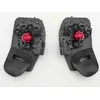
Best Premium Trackball Mouse: Svalboard
Keyboard with integrated trackball. Most ergonomic mouse AND keyboard possible. Medical-grade RSI solution with significant learning curve.$925 on Svalboard
Best Value Trackball Mouse: Elecom Huge Plus
Major refresh of the iconic Huge. Swappable MinebeaMitsumi steel bearings (upgradeable to ruby), 1000Hz polling, tri-mode connectivity (BT 5.3 + 2.4GHz + USB-C), 10 programmable buttons, 52mm ball, rechargeable battery.$130 on Amazon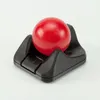
Best Budget Trackball Mouse: Ploopy Nano
Compact, budget-friendly trackball with dynamic bearings. Smaller ball but maintains Ploopy's quality standards with programmable firmware.$43 on PloopyEssentials
Ergo Keyboards: Compare & Buy
A trackball prevents wrist-turning RSI, but typing posture still matters. Split keyboards keep your shoulders and wrists in a neutral, shoulder-width position.See Split Keyboards
Standing Desk: Compare & Buy
Eye-level monitors and neutral wrists fix half the posture problem. A sit-stand desk fixes the other half by keeping you moving through the day.See Standing Desks
Monitor Arm: Compare & Buy
A monitor arm raises the screen to true eye level, freeing the desk surface for the trackball to roam.See Monitor ArmsScore | Brand | Model | Price | Bearings | Form Factor | Ball (mm) | Scroll | Polling (Hz) | DPI | Connection | Buttons | Software All | Sensor |
|---|---|---|---|---|---|---|---|---|---|---|---|---|---|
100.0 | $925 3 | Static 4 | Ambidextrous (integrated keywell) 10 | 44mm 7 | Finger (firmware-mapped, no wheel) 9 | 1000 Hz 10 | 1600 (adj) 7 | Wired (via keyboard PCB) 6 | 0 3 | Yes 8 | PixArt PMW3360 (optical) 7 | ||
82.7 | $130 5 | Dynamic 10 | MSTE-style (right-handed) 9 | 52mm 9 | Wheel with tilt 8 | 1000 Hz 10 | 1500 (adj) 7 | Tri-mode: Bluetooth 5.3, 2.4GHz wireless, Wired USB-C 10 | 10 10 | Yes 8 | IR LED optical (optical) 7 | ||
80.4 | $75 7 | Dynamic 10 | Ambidextrous 10 | 45mm 7 | Finger drag (configurable) 9 | 1000 Hz 10 | 12000 (adj) 9 | Wired USB 6 | 6 10 | Yes 8 | PixArt PMW3360 (optical) 7 | ||
77.4 | $155 3 | Dynamic 10 | MSTE-style (right-handed) 9 | 45mm 7 | Finger + scroll wheel 9 | 1000 Hz 10 | 12000 (adj) 9 | Wired USB 6 | 5 9 | Yes 8 | PixArt PMW3360 (optical) 7 | ||
75.3 | $43 10 | Dynamic 10 | Ambidextrous mini 10 | 38mm 5 | Button-based / firmware scroll 9 | 1000 Hz 10 | 4000 (adj) 9 | Wired USB-C 6 | 1 3 | Yes 8 | PixArt PAW-3222 (optical) 7 | ||
71.9 | $100 7 | Static 4 | Ambidextrous 10 | 55mm 10 | Virtual (twist the ball) 10 | 125 Hz 3 | 1600 7 | Wired USB-C, BT, 2.4 GHz dongle 10 | 4 9 | Yes 8 | Optical (trackball) (optical) 7 | ||
71.3 | $120 5 | Static 4 | Ambidextrous fingertip 10 | 48mm 7 | Capacitive touch pad 10 | 1000 Hz 10 | 3200 (adj) 9 | Wired USB-C 6 | 5 9 | Yes 8 | PixArt PMW3360 (optical) 7 | ||
69.8 | $60 7 | Static 4 | Ambidextrous 10 | 55mm 10 | Scroll ring + wheel 9 | 125 Hz 3 | 1600 (adj) 7 | Wireless (BT & 2.4 GHz dongle) 7 | 7 10 | Yes 8 | Optical (optical) 7 | ||
67.2 | $170 3 | Dynamic 10 | Thumb (right-handed) 4 | 38mm 5 | Scroll wheel (index finger) 8 | 1000 Hz 10 | 12000 (adj) 9 | Wired USB 6 | 5 9 | Yes 8 | PixArt PMW3360 (optical) 7 | ||
66.2 | $45 10 | Static 4 | MSTE-style (right-handed) 9 | 44mm 7 | Wheel (with tilt) 9 | 250 Hz 5 | 1600 (adj) 7 | Wireless (BT & 2.4 GHz dongle) 7 | 5 9 | No 5 | Optical (optical) 7 | ||
65.9 | $160 3 | Dynamic 10 | Ambidextrous 10 | 57mm 10 | Wheel 8 | 125 Hz 3 | 1600 (adj) 7 | Wired USB 6 | 3 3 | No 5 | Laser 7 | ||
65.7 | $80 7 | Static 4 | Ambidextrous 10 | 55mm 10 | Virtual (twist the ball) 10 | 125 Hz 3 | 1600 7 | Wired USB 6 | 4 9 | No 5 | Optical (trackball) (optical) 7 | ||
64.8 | $150 5 | Static 4 | Thumb-operated (right-handed) 4 | 36mm 5 | Wheel (with tilt) 8 | 1000 Hz 10 | 12000 (adj) 9 | Tri-mode: Bluetooth 5.3, 2.4GHz wireless, Wired USB-C 10 | 10 10 | Yes 8 | PixArt PAW3311DB (optical) 7 | ||
64.6 | $90 7 | Static 4 | Ambidextrous 10 | 55mm 10 | Finger scroll ring 9 | 125 Hz 3 | 600 5 | Wired USB 6 | 4 9 | No 5 | Optical (trackball) (optical) 7 | ||
64.1 | $55 7 | Static 4 | MSTE-style (right-handed) 9 | 52mm 9 | Wheel (with tilt) 8 | 125 Hz 3 | 1500 (adj) 7 | Wireless (2.4 GHz dongle) 7 | 8 10 | Yes 8 | Optical (optical) 7 | ||
63.9 | $59 7 | Static 4 | Thumb (right-handed) 4 | 34mm 5 | Scroll wheel (index finger) 8 | 1000 Hz 10 | 5000 (adj) 9 | Wired USB-C or Wireless 2.4GHz 10 | 6 10 | No 5 | PixArt PMW3325 (optical) 7 | ||
63.5 | $70 7 | Static 4 | MSTE-style (right-handed) 9 | 44mm 7 | Wheel (with tilt) 8 | 125 Hz 3 | 1500 (adj) 7 | Wired USB, BT, 2.4 GHz dongle 10 | 8 10 | Yes 8 | Optical (optical) 7 | ||
60.0 | $70 7 | Static 4 | Ambidextrous 10 | 40mm 7 | Thumb scroll wheel 3 | 125 Hz 3 | 1500 (adj) 7 | Wireless (2.4 GHz dongle) 7 | 5 9 | Yes 8 | Optical (optical) 7 | ||
56.1 | $40 10 | Static 4 | Thumb (right-handed) 4 | 36mm 5 | Wheel 8 | 125 Hz 3 | 1600 (adj) 7 | Wireless (BT & 2.4 GHz dongle) 7 | 5 9 | Yes 8 | Optical (optical) 7 | ||
56.0 | $35 10 | Static 4 | Ambidextrous mini 10 | 34mm 5 | Wheel 8 | 125 Hz 3 | 750 5 | Wireless (Bluetooth) 7 | 3 3 | No 5 | Optical (optical) 7 | ||
54.9 | $50 10 | Static 4 | Thumb (right-handed) 4 | 34mm 5 | Wheel 8 | 125 Hz 3 | 2000 (adj) 9 | Wireless (BT & USB dongle) 7 | 5 9 | Yes 8 | Optical (optical) 7 | ||
54.0 | $100 7 | Static 4 | Thumb (right-handed, tilting) 4 | 34mm 5 | Wheel 8 | 125 Hz 3 | 2048 (adj) 9 | Wireless (BT & USB dongle) 7 | 6 10 | Yes 8 | Optical (optical) 7 | ||
52.0 | $36 10 | Static 4 | Thumb (right-handed) 4 | 36mm 5 | Wheel 3 | 125 Hz 3 | 1200 (adj) 7 | Wireless (2.4 GHz dongle) 7 | 5 9 | Yes 8 | Optical (optical) 7 | ||
51.5 | $120 5 | 2 | Standard ergonomic mouse 2 | 5 | MagSpeed wheel + thumb wheel 8 | 125 Hz 3 | 8000 (adj) 9 | Wireless (BT & USB-C dongle) 7 | 7 10 | Yes 8 | Darkfield optical (8000 DPI) (optical) 7 | ||
51.3 | 5 | 2 | Thumb (right-handed) 4 | 5 | Wheel 8 | 250 Hz 5 | 1200 (adj) 7 | Wireless (BT & 2.4GHz dongle) 7 | 6 10 | No 5 | 5 | ||
51.2 | $70 7 | 2 | Vertical mouse 3 | 5 | Wheel 8 | 125 Hz 3 | 4000 (adj) 9 | Wireless (BT & USB dongle) 7 | 6 10 | Yes 8 | “Advanced” optical (4000 DPI) (optical) 7 | ||
50.0 | $100 7 | 2 | Standard ergonomic mouse 2 | 5 | Wheel + thumb wheel 8 | 125 Hz 3 | 8000 (adj) 9 | Wireless (BT & USB dongle) 7 | 7 10 | Yes 8 | Darkfield optical (8000 DPI) (optical) 7 | ||
49.5 | $75 7 | 2 | Vertical mouse 3 | 5 | Wheel 8 | 125 Hz 3 | 4000 (adj) 9 | Wireless (BT & USB dongle) 7 | 4 9 | Yes 8 | High precision (optical) 7 |
Trackball Cheat Sheet
Hands-on trackball mouse reviews ranked for ergonomic use, RSI recovery, and daily work. If you only read three things, read these:
- Bearing type: dynamic bearings stay smoother longer; static bearings are budget-friendly.
- Form factor: thumb-driven designs (Logitech Ergo) save desk space; ambidextrous options (Kensington Expert) excel for shared setups.
- Polling rate: 1000 Hz models feel snappier for CAD and gaming; 125 Hz is fine for general productivity.
Why a Trackball Mouse?
Standard mice force your wrist into pronation (palm down) and require constant back-and-forth movement that strains tendons. This repetitive motion causes Repetitive Stress Injury (RSI) and Carpal Tunnel Syndrome (CTS) in the wrist and forearm. The problem worsens at walking desks where the up-and-down motion adds vertical wrist movement to the horizontal.
Trackballs eliminate wrist movement entirely. Your hand stays stationary while your fingers move the ball. This removes the root cause of mouse-induced RSI - repetitive wrist motion.
Not the same as a RollerMouse. A roller bar mouse (often called a RollerMouse) is a separate category - a long roller bar sits centered in front of your keyboard, and you slide and roll it with either hand instead of reaching off to the side. It targets the same RSI by keeping the device on your centerline; trackballs target it by stopping wrist motion. We don't review roller bar mice, but Contour Design is the dominant brand if you want to explore them.
Why Not Vertical or Ergonomic Mice?
Standard Ergonomic Mice (Logitech MX Master, etc.)
These add ergonomic grips and thumb rests but still require wrist movement to move the mouse. You'll feel some improvement from better hand positioning, but the fundamental issue - moving your wrist repeatedly - remains. Many users report partial relief but not complete RSI resolution.
Vertical Mice (Logitech MX Vertical, Lift, etc.)
Vertical mice eliminate wrist pronation by positioning your hand in a "handshake" orientation. This is better than standard mice, but you're still moving your wrist to move the mouse.The motion is the problem, not just the angle. Mild RSI may find them enough; moderate to severe needs a trackball.
Best Thumb Trackball Mouse (Logitech MX Ergo, M575, etc.)
These replace the sensor with a thumb-operated ball. The familiar form factor makes adaptation easier, but moving your thumb constantly is as bad for thumb joints as moving your wrist is for wrist joints.Prolonged thumb-ball use leads to thumb RSI (De Quervain's tenosynovitis), and thumbs are less precise than fingers.
Trackball Form Factors
Best Finger Trackball Mouse: The Real Solution
Finger-ball trackballs use your middle or index finger to move a large ball (typically 45-55mm), distributing movement across stronger, more dexterous fingers instead of your thumb. The standout is the Elecom Huge Plus: a 52mm finger ball on swappable steel bearings, with 1000Hz polling and tri-mode connectivity.
Ambidextrous "Wedge" Trackballs
Square or diamond-shaped with the ball in the center. Can be used with either hand by remapping buttons. Best for hover-hand use (hand floating above the trackball rather than resting on it).
Advantages:
- Switch hands: Use your non-dominant hand for work to let your dominant hand heal, then switch to dominant hand for gaming or precision tasks.
- Walking/standing desks: Hover-hand is more comfortable when your desk height changes.
- Symmetric button layout: All fingers get buttons, not just thumb.
Top picks: Ploopy Adept ($75, dynamic bearings, VIA remapping), Kensington SlimBlade Pro ($100, tri-mode wireless).
MSTE-Style Trackballs (Palm-Rest Shape)
Named after the Microsoft Trackball Explorer, these follow a traditional mouse-like shape designed for palm resting. Usually right-handed.
Top picks: Ploopy Classic 2 ($155, dynamic bearings), Nulea M505 ($42, budget option).
Core Features
1. Bearing Type (Most Important for Feel)
Dynamic (Steel Roller) Bearings:
- Best option. Small steel rollers that move with the ball, creating nearly zero friction.
- Smooth, consistent feel even after months of use
- Less prone to stiction (sticky spots) from dust/oil buildup
- Found on: Ploopy Adept, Ploopy Classic 2, Ploopy Nano 2
Static (Ceramic) Bearings:
- Fixed contact points that the ball slides across
- Smooth initially but develop stiction over time as dust/oil accumulates
- Require regular cleaning (weekly for heavy users)
- Found on: Kensington SlimBlade/Expert, Nulea mice, GameBall
2. Polling Rate
- 1000 Hz (high): Gaming-grade smoothness. Essential for CAD, design work, or gaming. Found on Ploopy mice, GameBall.
- 125 Hz (low): Acceptable for productivity work but feels choppy for precision tasks.
3. Scrolling Method
Scroll wheel (traditional): Familiar, precise scrolling. MSTE-style trackballs place it under the thumb.
Rotate-to-scroll (Kensington SlimBlade): Rotate the entire ball to scroll. Learning curve but becomes natural after a week.
Common Mistakes to Avoid
- Buying thumb-balls for RSI relief: You're trading wrist RSI for thumb RSI. Go directly to finger-balls if your condition is moderate or severe.
- Ignoring bearing type: Static bearings need regular cleaning (weekly for heavy use). Budget for maintenance time or pay more for dynamic bearings.
- Giving up too quickly: Finger-ball trackballs have a 1-2 week learning curve. Your accuracy will tank initially. Push through - it's worth it.
Adaptation Tips
First week: Expect 40-60% accuracy compared to your standard mouse. Lower mouse sensitivity initially. Practice with low-stakes tasks (web browsing) before switching for work.
Second week: Accuracy improves dramatically - you'll hit ~80-90% of your normal precision.
After a month: Most users report equal or better precision than their previous mouse. Wrist pain reduction should be noticeable.
Trackball Mouse FAQ
What is the best trackball mouse?
For most people the Elecom Huge Plus is the best value; for significant RSI a finger-ball like the Ploopy Adept (dynamic bearings, ambidextrous) is the better long-term answer, and the Svalboard is the most ergonomic option if you can climb its learning curve. Rollerball, roller ball, and ball mouse all mean the same thing as a trackball.
What is the best trackball mouse for work?
For all-day work, a finger-ball or ambidextrous trackball keeps your hand still while your fingers do the moving. The Ploopy Adept (dynamic bearings, ambidextrous) is the top pick; the tri-mode Kensington SlimBlade Pro is a polished alternative, though its static bearings need occasional cleaning. Thumb-balls like the Logitech MX Ergo adapt easily but trade wrist strain for thumb strain over a full workday.
What is the best thumb trackball mouse?
The Logitech MX Ergo and the smaller M575 are the two worth naming: both keep a mouse-like shape you can work with on day one, and both run static bearings that need periodic cleaning. Treat a thumb-ball as a stepping stone. If RSI is why you are switching, go straight to a finger-ball instead. Why thumb-balls trade wrist strain for thumb strain →
What is the best trackball mouse for wrist pain or carpal tunnel?
For moderate to severe symptoms, skip thumb-balls and go straight to a finger-ball such as the Ploopy Adept. For serious RSI an ambidextrous design lets you switch hands so your dominant side can rest and heal.
Is a finger trackball or a thumb trackball better?
Finger-balls give less strain and better precision; thumb-balls keep a familiar shape and are easier to learn, but they are a stepping stone rather than the long-term fix for significant RSI. Compare finger, thumb, and ambidextrous form factors →
What is the best budget trackball mouse?
The Ploopy Nano 2 is the best budget finger-ball pick, keeping dynamic bearings and programmable firmware in a compact body. The Nulea M505 (around $42) is a cheaper MSTE-style option, but its static bearings need weekly cleaning under heavy use.
Should I get a wired or wireless trackball mouse?
For general productivity, wireless is fine. For gaming, CAD, or design work, use 2.4GHz wireless or wired and a 1000Hz polling rate; Bluetooth adds latency that hurts precision. Tri-mode trackballs like the Elecom Huge Plus cover all cases.
Below are the full brand and model notes for every trackball on this page.
Svalboard
A single-maker hardware shop in Pacifica, CA, USA, building the Svalboard Lightly, a modern reimagining of the discontinued Datahand. It is a fully adjustable keywell split keyboard with low-force magneto-optical keys and an integrated trackball, trackpoint or touchpad pointing option, so the hands never leave the keywell. Hardware and firmware are open source (Onshape/STEP CAD files for customers, Vial-QMK firmware on a Raspberry Pi RP2040). Boards are made to order with a lead time of about 4 to 5 weeks. Founded and run by a multi-decade Datahand user and professional consumer-electronics developer; a spiritual successor to Datahand, not the same company.
Reputation
Research notes & sources
Svalboard Svalboard Trackball (Svalboard Lightly (Single/Dual Pointer trackball option))
The "Svalboard Trackball" is not a standalone mouse - it is the integrated finger-operated trackball pointing option of the **Svalboard Lightly**, a modern Datahand-style ergonomic split keyboard. Ordered with the trackball option, a finger-operated ball sits inside the keywell so the hands never leave home position; there are no separate mouse buttons or scroll wheel - clicks and scroll are mapped to keyboard keys via the live-programmable Vial-QMK firmware (Raspberry Pi RP2040 MCU). The default ball is 44 mm and rides on plain **static** 3.175 mm bearings (not Ploopy-style dynamic rolling bearings). Designed and built in Pacifica, CA, USA as a made-to-order build (~4–5 week lead time). It is sold only as part of a full Svalboard build or as a separate upgrade kit for existing owners.
Price
Tiered by pointing configuration on the Svalboard Lightly product page (svalboard.com/products/lightly): Single Pointer $925, Dual Pointer $1,050 (a pointing module on each half), No Pointer $800 (keyboard only). The table lists $925 — the entry price to get one trackball. Pre-configured PANDA / RED PANDA builds with dual 44 mm trackballs run $1,100–$1,130. No sale or coupon observed; free domestic shipping ($20 off international). Brand-direct only — no Amazon listing, no affiliate program.
Bearings
Static, confirmed first-party. Svalboard's Trackball-Components / upgrade-kit copy: "source some static bearings (3.175 mm is the current default)". This is a plain static-bearing / ruby-style seat, not a dynamic rolling-bearing trackball — it scores on the static side of the heaviest scoring axis. The 3D-printed holder is published on a public Onshape repo for DIY/repair.
Form Factor
Finger-operated trackball integrated in the keyboard keywell. Modeled as Ambidextrous because the Dual Pointer configuration places a trackball on either or both halves; there is no discrete mouse body.
Ball (mm)
44 mm is the default and headline value (Svalboard-exclusive Bright Silver, or Red SANWA 44 mm). A 52 mm Pearl resin ball option exists for larger hands (~185 mm+ hand length) but requires a separate 52 mm holder — ball sizes are not freely interchangeable without printing/ordering the matching holder. BYO-ball is supported. The brand explicitly recommends lubing the ball before first use ("face oils are the gold standard"); it significantly affects tracking — a real-world care note, not a defect.
Scroll
No physical scroll wheel or ring. Scroll (and all clicks) are firmware-mapped to keyboard keys/layers via Vial-QMK. finger is the least-wrong scroll-mode enum for a key/layer-driven scroll with no discrete scroll hardware.
Connection
Wired only, via the keyboard PCB. Magnetic USB-C cables are included. No wireless option.
Buttons
Zero dedicated mouse buttons — every click is mapped to a keyboard key through the open-source firmware, so button count is by-design 0 rather than a limitation.
Software
Fully programmable via Vial-QMK (100% open-source firmware, no re-flashing required). DPI, click/scroll mappings, and layers are all live-configurable.
Sensor
Listed as PixArt PMW3360 (optical), but this is community / prior-writer sourced — it is not stated on Svalboard's storefront, product JSON, or any first-party copy. Treat as low-medium confidence, not manufacturer-confirmed. polling_rate=1000 Hz and dpi=1600 are Vial-QMK firmware defaults (medium confidence, not published storefront specs); DPI is firmware-adjustable.
Research notes & sources
Elecom
BBB Rating
Elecom Huge Plus
Major refresh of Elecom's iconic Huge trackball that fixes every shortcoming of the original. Swappable MinebeaMitsumi steel bearings (upgradeable to synthetic ruby) eliminate the notorious bearing problem. 1000Hz polling rate brings gaming-grade precision. Tri-mode connectivity (Bluetooth 5.3, 2.4GHz, wired USB-C) with 3-device simultaneous pairing. 10 programmable buttons, silent click switches, rechargeable battery lasting up to 5 months, and the same beloved 52mm ball with cushioned palm rest.
Bearings
Swappable MinebeaMitsumi steel ball bearings - can be removed for cleaning or swapped to synthetic ruby units. Includes bearing puller tool. Massive upgrade from the original Huge's notorious static bearings.
Form Factor
Same ergonomic hand-rest design as the original Huge, with low-resilience cushioned palm rest
Ball (mm)
Same large 52mm ball as the original - excellent for precision and comfort
Scroll
Scroll wheel with tilt for horizontal scrolling. Tilt clicks are programmable.
Polling (Hz)
1000Hz - 8x improvement over the original Huge's 125Hz. Gaming-grade responsiveness.
DPI
3-step adjustable: 500 / 1000 / 1500 DPI
Connection
Pair up to 3 devices simultaneously (one per connection type) and switch instantly via slide switch. USB-C for charging and wired mode.
Buttons
10 programmable buttons including tilt scroll. Customizable via Elecom Mouse Assistant software. On-board memory planned for future firmware update.
Software
Elecom Mouse Assistant - full button remapping, DPI adjustment. On-board memory coming via firmware update.
Weight
10.3 oz (292 g), slightly heavier than the original Huge at 259 g
Elecom IST PRO
The IST PRO is ELECOM's premium thumb-operated trackball, aimed at high-output professionals and gamers. It pairs a 36mm thumb ball with a PixArt PAW3311DB gaming-grade sensor (up to 12,000 DPI, genuine 1000Hz report rate), triple connectivity (Bluetooth 5.3, USB-A 2.4GHz, and wired USB-C), and pairing for up to 6 devices. Its standout feature over the base IST line is swappable bearings - it ships on static ruby pads but includes Roll-Master steel (dynamic) bearings plus a removal tool in the box, so you can dial in the glide you prefer. 10 programmable buttons, a tilt scroll wheel, silent switches, and 2x AA power (up to 18 months) round it out.
Bearings
Ships with ruby bearings (static pads) installed; includes Roll-Master steel bearings (true dynamic rolling) plus a bearing-removal tool in the box. bearing_type=static reflects the as-shipped default; the swap-to-dynamic option in-box is unusual for the category and a genuine differentiator versus most static-only trackballs.
Form Factor
Thumb-operated, right-handed (Amazon Hand Orientation: Right). Same 36mm thumb-ball layout as the base IST line. Note: an earlier discovery note mislabeled this as finger-operated — that is incorrect; the listing copy and tech details confirm thumb operation.
Ball (mm)
36mm thumb ball — compact relative to ELECOM's finger trackballs (Deft Pro 44mm, Huge 52mm).
Scroll
Scroll wheel with tilt for horizontal scrolling.
Polling (Hz)
1000Hz report rate, confirmed by both the Amazon listing and the ELECOM USA product page (not a firmware-capped figure).
DPI
Default presets 500/1000/1500 DPI (3 on-device steps), adjustable up to 12,000 DPI via the ELECOM Mouse Assistant software; on-device DPI button included.
Connection
Tri-mode: Bluetooth 5.3, USB-A 2.4GHz wireless (via included "Bridge G1000" universal receiver, compatible with other ELECOM devices), and wired USB-C. Pairs up to 6 devices simultaneously — the highest in the ELECOM lineup. 10m wireless range.
Buttons
10 programmable buttons plus tilt wheel; remappable via ELECOM Mouse Assistant with up to 3 on-device button profiles. Silent switches.
Software
ELECOM Mouse Assistant (Windows/macOS) for DPI customization and button remapping; up to 3 on-device profiles.
Sensor
PixArt PAW3311DB — gaming-grade optical sensor, same class as the Logitech MX Ergo S. Optical movement detection per Amazon tech details.
Model
ELECOM IST PRO Trackball Mouse (M-IPT10MRSABK). Premium tier of the IST thumb-trackball family; sits well above the base IST line ($49-79) at $149.99.
Research notes & sources
Elecom Huge
The Elecom Huge pairs a 52mm finger-operated ball with a built-in palm rest, and it is one of the least expensive ways into a large-ball trackball. Its static support bearings are the usual complaint, and many owners swap them for ball bearings. The pricier Huge Plus fixes that with swappable steel bearings and adds a 1000Hz polling rate.
Bearings
Notorious for poor bearings - most users replace them
DPI
500 / 1000 / 1500 DPI, switchable on the mouse
Buttons
Eight programmable buttons plus a tilting scroll wheel
Software
Elecom Mouse Assistant
Weight
259 g (9.12 oz) on both Amazon US and Amazon Canada. Elecom's US store lists 454 g, which looks like the shipping weight rather than the mouse alone.
Research notes & sources
Elecom Deft Pro
Portable MSTE trackball, smaller than Huge. More flexible setup, one-size-fits-all. Same bearing issues as Huge requiring replacement. More familiar layout for traditionalists.
Bearings
Same poor bearings as Huge
Scroll
Thumb-operated scroll wheel
DPI
500 / 1000 / 1500 DPI
Software
Elecom Mouse Assistant
Elecom Bitra
Tiny portable trackball that fits in your pocket. Better ergonomics than laptop trackpad, handy in a pinch. Not perfect ergonomically (thumb scroll) - don't use as daily driver. Only get 2.4GHz version, not Bluetooth (too imprecise).
Form Factor
Thumb ball for portability
Buttons
Limited buttons due to small size
Ploopy
Open-source, community-driven trackball/mouse/trackpad maker (Kitchener, ON, Canada). 3D-printed hardware, QMK/VIA firmware, sold direct, with no Amazon presence.
Reputation
Research notes & sources
Ploopy Adept
Ambidextrous trackball with dynamic steel roller bearings, zero stiction, and high polling rate. Perfect for switching hands to prevent RSI. Great for gaming and hover-hand use at standing desks.
Bearings
Steel roller bearings - zero stiction, replaceable
Form Factor
Square design, can switch hands
Polling (Hz)
High polling rate for gaming
Software
VIA/QMK for full programmability
Ploopy Classic 2
3D-printed, open-source MSTE-style trackball that runs QMK and supports VIA. Pairs a PixArt PMW3360 sensor with three MR63ZZ roller (dynamic) bearings, ships fully assembled, and connects over wired USB-A-to-USB-C. Classic 2 fixes the Classic 1's scroll-wheel polling issue and moves to USB-C. Sold direct from Ploopy (Kitchener, ON, Canada) - no Amazon presence.
Bearings
Three MR63ZZ roller bearings — true dynamic (rolling) bearings, smooth and low-stiction.
Form Factor
Microsoft Trackball Explorer inspired, right-handed.
Scroll
Mechanical scroll wheel; Classic 2 resolves the Classic 1 scroll-wheel polling issue.
Connection
Wired USB — USB-A to USB-C cable.
Software
Open-source: QMK preloaded, configurable via VIA.
Research notes & sources
Ploopy Nano 2
Compact, budget-friendly trackball with dynamic bearings. Smaller ball size but maintains Ploopy's quality standards with programmable firmware.
Bearings
Smaller but still dynamic bearings
Polling (Hz)
Configurable firmware, 1000Hz+
Buttons
Single button plus scroll mode
Software
VIA/QMK programmable
Ploopy Thumb Trackball
Premium thumb-operated trackball with dynamic bearings and build quality that outclasses every other thumb ball. Not actively recommended here, because thumb operation is the RSI risk a finger trackball removes. Included as the reference pick for anyone set on a thumb ball regardless.
Bearings
Steel bearings for smooth thumb operation
Form Factor
Thumb-operated - may cause thumb RSI
Software
VIA/QMK programmable
Kensington
Kensington SlimBlade Pro
Premium ambidextrous trackball with virtual scrolling (twist ball). Offers wireless (2.4GHz), Bluetooth, and wired connectivity. Square format ideal for switching hands. End-game trackball for many users.
Bearings
Ceramic bearings - some stiction but better than Expert
Form Factor
Square Kensington-style design, can switch hands
Software
Kensington Works for button mapping
Kensington SlimBlade
Wired ambidextrous trackball with virtual scrolling (twist ball). Same square format as SlimBlade Pro but wired-only at lower price point.
Bearings
Ceramic bearings
Form Factor
Square Kensington-style design
Software
Older model, limited software support
Kensington Expert Mouse
Very popular ambidextrous trackball with physical scroll ring. One step behind SlimBlade. Angle requires wrist cushion (included) for proper ergonomics.
Bearings
Static bearings - more stiction than SlimBlade
Form Factor
Square design, needs wrist cushion
Scroll
Physical scroll ring around ball
DPI
~400–600 native (feels higher)
Software
Optional KensingtonWorks download
Weight
Includes wrist rest.
Kensington Orbit Fusion
Ambidextrous trackball with wireless options, but suffers from thumb button placement (RSI risk) and low-quality squishy buttons. Better options available in this price range.
Scroll
Thumb scrolling - contributes to RSI
DPI
400 / 800 / 1500 DPI
Software
Kensington Works
GameBall
GameBall is the trackball line from Blue Sun Innovations, a small Netherlands-based maker that sells direct at gamingtrackball.com. The catalog is narrow: the original GameBall (an ambidextrous fingertip trackball) and the GameBall Thumb, a right-handed thumb ball co-developed with the Chinese OEM ProtoArc. The pitch across both is trackballs built for gamers rather than office ergonomics, with adjustable tilt and on-device controls instead of companion software.
BBB Rating
Warranty
Reputation
Research notes & sources
GameBall GameBall
Ambidextrous gaming-focused trackball with capacitive scroll pad. Fast sensor and sturdy build, but still uses static bearings and a higher fingertip posture than ergonomic wedges.
Bearings
High-quality ceramic bearings
Form Factor
Flatter gaming posture
Software
GameBall config utility
GameBall GameBall Thumb
A right-handed thumb trackball pitched at gamers, co-developed by GameBall (the Dutch maker Blue Sun Innovations) and the Chinese peripheral OEM ProtoArc. The selling point is a base that tilts up to 20 degrees, so you can angle the whole unit to your wrist instead of cranking your hand to meet it. Ceramic static bearings under a 34mm ball, a PixArt PMW3325 optical sensor topping out at 5000 DPI, and a 1000Hz polling rate. It runs wired over USB-C or wireless over a 2.4GHz dongle, with a built-in rechargeable battery good for roughly 30 to 90 days between charges depending on how hard you push the RGB. It's a capable mid-tier trackball, but the thumb form factor carries the same RSI tradeoff as any thumb-driven ball: the thumb does work it isn't built for. We only steer people here when a dynamic-bearing option like the Ploopy Thumb isn't on the table.
Bearings
Ceramic static bearings. The ball rests on fixed ceramic pads rather than rolling bearings, which is the budget-to-mid-range norm. Smooth once broken in, but it picks up skin oil and needs the odd wipe-down. The 34mm ball pops out for cleaning.
Pros
- 20-degree adjustable base tilt, rare at this price
- Dual-mode: wired USB-C and wireless 2.4GHz
- No software needed; DPI and settings live on-device
- Precision button for fine aim
- 34mm ball pops out for cleaning
- Verified Judge.me rating sits high (4.65/5, 68 reviews)
Cons
- Thumb form factor carries the usual thumb-RSI risk
- No Bluetooth, dongle only
- Scroll wheel surface is sticky and sits at an odd angle vs the tilted buttons
- PMW3325 is a step down from the original GameBall's PMW3360
- US + UK shipping only
- Ceramic static bearings, not dynamic; needs occasional cleaning
Research notes & sources
Nulea
Warranty
Nulea M512
Budget ambidextrous trackball with wireless options. Adds bells and whistles but reports worse stiction than SlimBlade. Highly recommend saving up for Ploopy Adept instead.
Bearings
Reports of higher stiction than SlimBlade
DPI
400–1600 DPI
Nulea M505
Budget MSTE-style finger trackball: 44mm ball, dual wireless (Bluetooth 5.0 + 2.4GHz dongle), 5 DPI steps, USB-C rechargeable. A solid cheap pick if you want an MSTE form factor, with the static-bearing stiction caveat that comes with the price.
Bearings
Static bearings (white plastic support pads, confirmed by teardown). Stiction complaints are consistent with the type and worsen as skin oil builds up; periodic cleaning of the ball and cups helps.
DPI
Five levels: 200 / 400 / 800 / 1200 / 1600 (default 400), cycled via a button on the underside.
Research notes & sources
Nulea M509
Budget thumb-operated trackball. While affordable, thumb balls can contribute to thumb RSI. Consider a finger trackball instead.
Form Factor
Thumb-operated - can cause thumb RSI
DPI
Up to ~1200 DPI
Nulea M501
Budget thumb-operated wireless trackball with a side-mounted ball under the thumb (right-handed), positioned by Nulea as an ergonomic alternative to whole-hand mousing. Dual wireless (Bluetooth + 2.4GHz USB dongle) pairs up to 3 devices; the USB-C port is charging-only. A cheap entry into thumb trackballs - but thumb balls carry a higher thumb-RSI risk than finger or ambidextrous designs.
Bearings
Not confirmed. No M501-specific teardown was found; budget thumb trackballs typically use static ruby/ceramic pads, but this is left blank pending a teardown or r/Trackballs confirmation rather than assumed.
Form Factor
Thumb-operated, right-handed — can contribute to thumb RSI. Consider a finger or ambidextrous trackball if you point all day.
DPI
Five button-cycled levels: 100 / 200 / 400 (default) / 800 / 1200, per the manual and the nulea.com support page. The nulea.com marketing page rounds this up to 400/800/1200/1600 (max 1600); the spec-sheet values are preferred here.
Research notes & sources
X-Keys
X-Keys L-Trac
Popular among die-hards. Laser sensor and steel bearings are much higher quality than competitors - precision winner. Bearings don't gather gunk. But only 3 buttons (deal-breaker for programmers) and design not quite as ergonomic.
Bearings
Steel bearings, minimal maintenance
Form Factor
Not as ergonomic as competitors
DPI
Hardware switch for 400 / 800 / 1600 DPI
Buttons
Only 3 buttons - deal-breaker for many
Sensor
High precision laser sensor
ProtoArc
ProtoArc EM05
Budget thumb trackball option. While affordable, thumb balls can contribute to thumb RSI - finger trackballs recommended instead.
Form Factor
Thumb-operated - RSI risk
DPI
Up to ~1600 DPI
Logitech
Warranty
Logitech M575
Budget thumb-operated trackball. More affordable than MX Ergo but still suffers from thumb RSI issues. Finger trackballs provide better long-term ergonomics.
DPI
200–2000 DPI
Software
Logi Options+
Logitech MX Ergo
Premium thumb-operated trackball from Logitech's MX line. High quality, but thumb operation can contribute to thumb RSI. Finger trackballs recommended instead.
Form Factor
Thumb-operated - can cause thumb RSI
Scroll
Thumb scroll wheel
DPI
~512–2048 DPI
Software
Logi Options+
Logitech MX Master 4 (MX Master 4 for Mac, Space Black, MX Master 4 for Business, Pale Grey)
Logitech's flagship ergonomic productivity mouse and the direct successor to the MX Master 3S. It keeps the sculpted right-handed body, the MagSpeed electromagnetic scroll wheel that auto-shifts between ratchet and freewheel at 1,000 lines per second, a dedicated thumb wheel, and an 8,000-DPI Darkfield sensor that tracks on any surface including glass. Quiet Clicks carry over from the 3S, cutting click noise by about 90%. What's actually new is haptic feedback. A Haptic Sense Panel pairs with the Actions Ring, a customizable radial overlay summoned at the cursor that adapts per app and fires tactile pulses for shortcuts, actions, and notifications. That tactile pointing affordance is why this standard-bodied mouse earns a spot alongside the trackballs here, the same basis on which the 3S is tracked. It connects over Bluetooth LE or a bundled USB-C receiver (the dongle moved to USB-C from the 3S's USB-A, with a new radio chip Logitech markets as "2X more powerful connectivity"). The battery is USB-C rechargeable and runs roughly 70 days per charge, with three hours of use from a one-minute quick charge. Configured through Logi Options+. Sold in Graphite, Space Black (for Mac), and Pale Grey, with separate "for Mac" and "for Business" SKUs. Two-year limited hardware warranty, $119.99 MSRP.
Form Factor
Standard ergonomic right-handed mouse, not a trackball. It qualifies for this comparison on its pointing innovation: haptic feedback. The Haptic Sense Panel plus the Actions Ring add a tactile dimension to the cursor that no other mouse here offers, the same "notable pointing innovation" exception that places the 3S in the table. Trackball-only attributes (bearing type, ball size) do not apply.
Software
Logi Options+.
Research notes & sources
Logitech Lift Vertical
Budget vertical mouse that reduces wrist pronation angle. However, still requires hand movement to operate, which contributes to RSI. Trackballs eliminate this motion.
Form Factor
Reduces pronation but still requires hand movement
DPI
400–4000 DPI
Software
Logi Options+
Logitech MX Master 3S
Premium ergonomic standard mouse. While ergonomic grip reduces wrist pronation, still requires hand movement that contributes to RSI. Trackballs eliminate this motion entirely.
Form Factor
Ergonomic but still standard mouse - not trackball
Software
Logi Options+
Logitech MX Vertical
Premium vertical mouse from MX line. Removes wrist pronation entirely, but hand movement still contributes to RSI. Trackballs are the complete solution.
Form Factor
MX quality vertical mouse
Software
Logi Options+